
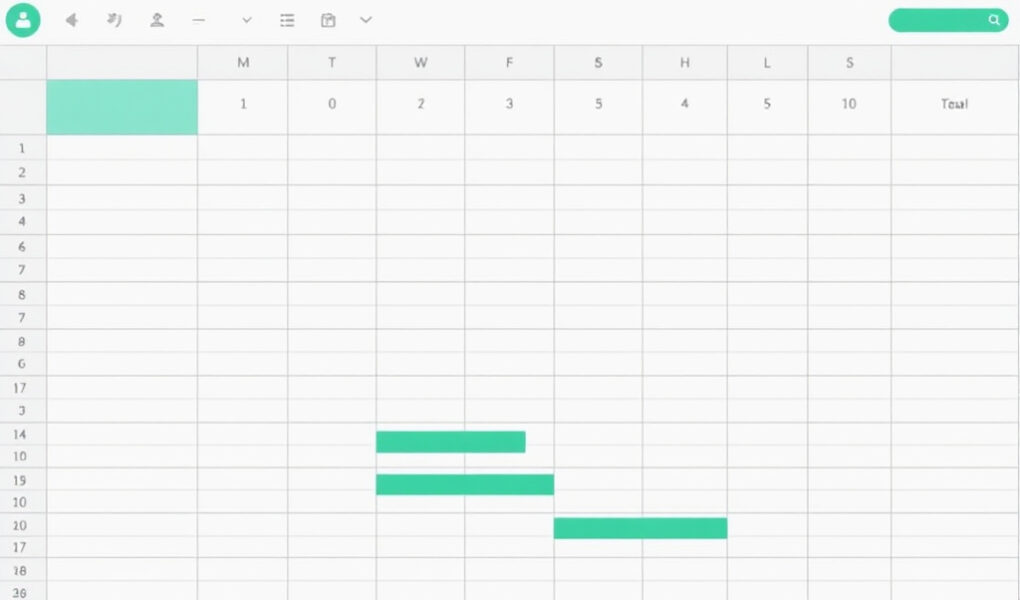
A program director finds a promising $75,000 grant on Monday morning. By Wednesday, three people have researched the same funder, no one has confirmed whether the nonprofit is eligible, the finance officer has not seen the match requirement, and the executive director assumes the grant writer is collecting the attachments. Two days before the deadline, the team discovers that board approval is required. This breakdown is not caused by a lack of effort. It happens because the organization’s grant tracking spreadsheet columns do not capture the information needed to make decisions, assign work, and prevent avoidable delays.
A grant tracking spreadsheet should do far more than record a funder’s name and application deadline. It should show whether an opportunity fits the organization, who owns each task, what documents are missing, when internal reviews must happen, whether the application was submitted successfully, when the funder is expected to respond, and what reporting obligations begin if the grant is awarded.
When the right columns are organized in a logical order, a basic spreadsheet becomes a working grant application tracking system. The executive director can see the strength of the pipeline. The grant writer can see the next action. The program manager can monitor narrative responsibilities. The finance officer can prepare accurate budgets. The entire team can make better decisions without relying on scattered emails, meeting notes, or one person’s memory.
Why the Right Grant Tracking Spreadsheet Columns Matter
A weak grant tracking spreadsheet often contains only five columns: funder name, opportunity name, amount available, application deadline, and status. These details are useful, but they cannot answer the questions that determine whether an application moves forward successfully.
The deadline column may show that an application is due on October 30, but it does not show that the board must approve the application by October 15. The status column may say “in progress,” but it does not reveal whether the budget is complete, whether the program data has been received, or whether the required partnership letter is still missing. The amount column may show that a funder awards up to $500,000, but it does not show that the organization must provide a 25 percent match or manage a complex federal reporting schedule.
Incomplete systems commonly lead to:
- Missed application deadlines and rushed submissions.
- Duplicate funder research by different team members.
- Applications started before eligibility is confirmed.
- Confusion about who is responsible for each task.
- Missing financial statements, letters, registrations, and approvals.
- Failure to follow up after submission.
- Lost records of previous applications and funder feedback.
- Unclear application stages and next actions.
- Missed reporting, closeout, and renewal deadlines.
- Weak forecasting of expected grant income.
The purpose of a nonprofit grant tracker is not simply to store information. It should help the organization qualify opportunities, decide whether to apply, coordinate the application process, preserve institutional knowledge, monitor funder relationships, manage awarded grants, and improve future planning.
Consider the difference between two systems.
A five-column spreadsheet may tell the executive director that the Bright Futures Foundation grant is worth $100,000 and is due on September 20. A complete grant application tracker will also show that the opportunity is limited to youth organizations in three counties, requires audited financial statements, has a maximum request of $60,000, expects at least two community partners, and strongly favors organizations that have operated for five years or more.
The complete system may also show that eligibility has been confirmed, the program manager owns the outcome data, the finance officer must finish the budget by September 5, the executive director must approve the final proposal by September 12, and the grant writer plans to submit by September 16. Everyone sees the same information, and delays become visible before they become emergencies.
That shared visibility is what turns a spreadsheet into a genuine nonprofit grant management system.
Essential Grant Research and Funder Information Columns
The research section of a grant management spreadsheet should help the organization answer three questions: What is the opportunity? Are we eligible? Is it strategically worth pursuing?
The following columns create a reliable funding opportunity tracker during the research and qualification stage.
- Opportunity identification number: Assign a unique internal number, such as 2026-FOUND-014, so staff can distinguish opportunities with similar names and connect them to related documents.
- Funder name: Enter the legal or official name of the foundation, government agency, corporation, or intermediary offering the funding.
- Grant program name: Record the specific program or competition. One funder may operate several grant programs with different priorities and rules.
- Funder type: Use categories such as private foundation, community foundation, corporate funder, federal agency, state agency, local government, or intermediary.
- Website or application link: Add the direct link to the guidelines, funding notice, or application page rather than only linking to the funder’s homepage.
- Geographic focus: State the eligible country, state, county, city, neighborhood, or service region. This prevents applications to funders that do not support the organization’s location.
- Funding priority: Summarize the funder’s stated interests, such as youth development, food security, mental health, workforce training, or housing stability.
- Eligible applicant type: Record whether the opportunity accepts public charities, faith-based organizations, schools, tribal entities, universities, coalitions, or fiscally sponsored projects.
- Target population: Identify the people the funder wants to benefit, including age group, income level, location, disability status, or other relevant characteristics.
- Program alignment: Explain how closely the proposed program matches the funder’s priorities. Avoid writing only “good fit.” State the actual connection.
- Grant purpose: Record whether the grant supports general operations, programs, equipment, planning, capital projects, research, capacity building, or another purpose.
- Amount available: Enter the total amount the funder has made available for the entire funding competition when that information is provided.
- Typical award size: Record what the funder commonly awards based on guidelines, previous grants, annual reports, or tax filings.
- Minimum request amount: Include the lowest amount applicants are permitted or expected to request.
- Maximum request amount: Record the highest allowable request so the team does not create a budget outside the funder’s limits.
- Match or cost-share requirement: State the percentage, amount, source, and whether the match must be cash, in-kind, or a combination.
- Application method: Identify whether the funder uses an online portal, email submission, Grants.gov, mailed application, letter of inquiry, or invitation process.
- Invitation-only status: Mark whether the organization can apply directly or must first build a relationship and receive an invitation.
- Contact person: Enter the program officer, grant manager, community representative, or other named contact.
- Contact email: Store the official email address used for eligibility questions, technical support, and follow-up.
- Contact phone number: Include the number when calls are permitted or encouraged.
- Date opportunity was discovered: This helps measure how much preparation time the team had and how early opportunities are being identified.
- Research source: Record whether the opportunity came from a funder website, grants database, newsletter, referral, conference, government portal, or previous relationship.
- Previous grantees: Note organizations previously funded, their locations, project types, and award amounts when available.
- Relationship history: Record meetings, past applications, introductions, previous awards, declined requests, and other meaningful contact with the funder.
- Funder fit score: Use a standard rating system to compare opportunities instead of relying only on enthusiasm.
- Eligibility confirmed: Use Yes, No, Pending, or Clarification Required. Record how eligibility was confirmed.
- Research notes: Capture special requirements, concerns, unusual preferences, questions for the funder, and information not covered by other columns.
- Priority level: Use High, Medium, Low, or Hold to indicate where the opportunity belongs in the grant pipeline.
- Go or no-go decision: Record the final decision to pursue, decline, postpone, or seek more information.
A funder fit score can be based on mission alignment, geographic eligibility, population alignment, program readiness, award size, organizational capacity, relationship strength, competitiveness, match requirements, and reporting burden. Each factor can receive a score from one to five, or the team can use simple categories such as Excellent Fit, Strong Fit, Moderate Fit, Weak Fit, and Not Eligible.
For example, Rising Pathways Youth Center discovers two opportunities. The first is a $150,000 national youth innovation grant due in four weeks. It requires three years of audited financial statements, a 20 percent cash match, and programs operating in at least five states. The second is a $60,000 local foundation grant due in eight weeks for after-school career preparation in the same county where Rising Pathways works.
The first opportunity appears more attractive because of its size. However, the research columns reveal that the organization does not meet the multistate requirement, cannot provide the cash match, and lacks the required audits. The local opportunity receives a Strong Fit rating because the geography, target population, program purpose, award size, and organizational capacity align. Instead of wasting time on both applications, the team approves the stronger opportunity and records a no-go decision for the national grant.
This is how a grant research spreadsheet supports strategy rather than simply collecting links.
Deadline, Workflow, and Team Responsibility Columns
Once an opportunity has been approved, the grant application tracking system must shift from research to execution. This stage requires detailed deadlines, named responsibilities, document tracking, and clear next actions.
Important workflow columns include:
- Letter of inquiry deadline: Record the date for submitting an initial concept paper or letter of inquiry.
- Full application deadline: Enter the official date and time when the complete application must reach the funder.
- Internal decision deadline: Set the date by which leadership must approve or reject the opportunity.
- Draft completion deadline: Establish when the first complete narrative draft must be ready.
- Budget completion deadline: Set a separate date for the detailed budget and budget narrative.
- Document collection deadline: Identify when financial statements, registrations, resumes, policies, and attachments must be collected.
- Internal review deadline: Schedule enough time for program, finance, compliance, and editorial review.
- Executive approval deadline: Record when the authorized leader must approve the final application.
- Submission target date: Set a planned submission date before the official deadline.
- Actual submission date: Record when the application was successfully transmitted.
- Time zone: Always include the funder’s deadline time zone, especially for national and international opportunities.
- Application portal: Add the direct portal address or platform name.
- Portal login owner: Name the staff member responsible for access. Passwords should remain in a secure password manager, not in the spreadsheet.
- Lead grant writer: Identify the person responsible for coordinating and drafting the application.
- Program lead: Name the person responsible for program design, activities, outcomes, and service data.
- Budget lead: Assign responsibility for costs, calculations, match, indirect expenses, and financial review.
- Authorized representative: Record the person permitted to certify or sign the application.
- Reviewer or quality-control person: Name someone who was not the primary writer and can check responsiveness, clarity, consistency, and completeness.
- Current application stage: Use a controlled status such as Drafting, Awaiting Documents, or Under Internal Review.
- Percentage completed: Use a realistic estimate based on completed components, not the writer’s general feeling.
- Next action: State the single most important action required to move the application forward.
- Next action due date: Attach a deadline to the next action.
- Person responsible for the next action: Assign one named owner rather than a department or the entire team.
- Required documents: List all mandatory attachments and supporting materials.
- Missing documents: Identify items that have not been received, completed, approved, or uploaded.
- Partner documents: Track memoranda, budgets, registrations, resumes, and other materials required from collaborators.
- Letters of support: Record who has been asked, when the request was made, and whether the signed letter has been received.
- Board approval required: Mark whether a resolution, vote, or board chair signature is needed.
- Registration status: Track SAM.gov, Grants.gov, state vendor registration, charitable registration, or portal registration requirements.
- Risk or obstacle notes: Record threats such as delayed data, unresolved match funding, portal problems, leadership changes, or partner uncertainty.
Internal deadlines should always come before the official deadline. The funder’s deadline is the final point at which submission is accepted. It is not a safe working deadline for the team. Portal failures, missing signatures, document formatting problems, internet interruptions, and last-minute budget corrections can make a technically complete application impossible to submit.
A sensible submission target may be two to five business days before the funder deadline, depending on the application’s size and complexity.
Consider Hope Community Outreach, a faith-based organization preparing a collaborative food security application for $125,000. The application is due November 14 at 5:00 p.m. Eastern Time. The organization sets November 1 as the draft deadline, November 4 as the partner document deadline, November 6 as the budget deadline, November 8 as the internal review deadline, November 10 as the executive approval deadline, and November 12 as the submission target.
The program director owns the service plan and beneficiary data. The finance officer owns the budget and match documentation. The grant writer owns the narrative and application portal. The board secretary provides the required authorization. A food bank partner must submit a signed commitment letter and current registration document.
On November 5, the tracker shows that the partner letter is missing and that the budget is only 60 percent complete. Because the next action, responsible person, and due date are visible, the team can intervene nine days before the official deadline rather than discovering the delay on submission day.
A clear grant pipeline tracker can move each opportunity through these stages:
- Identified
- Under review
- Eligibility confirmed
- Approved for application
- Drafting
- Internal review
- Awaiting documents
- Ready for submission
- Submitted
- Decision pending
These stages help leadership distinguish between an opportunity that has merely been found and an application that is genuinely moving toward completion.
Submission, Decision, Follow-Up, Award, and Reporting Columns
Grant tracking should never stop when the application is submitted. Submission is the point where a new stage begins. The organization must preserve the final application, monitor the decision process, respond to funder requests, record the outcome, and prepare for award management or future reapplication.
The post-submission section should include the following columns:
- Submission confirmation number: Record the portal or transaction number that proves the application was received.
- Submission confirmation received: Use Yes, No, or Pending and save the confirmation message.
- Final amount requested: Enter the exact amount in the submitted budget.
- Final project title: Preserve the title used in the application.
- Final project period: Record the proposed start and end dates.
- Final application file location: Link to the approved final package in the organization’s document storage system.
- Submitted by: Identify the person who completed the submission.
- Application status: Use Submitted, Under Review, Additional Information Requested, Awarded, Declined, or Withdrawn.
- Expected decision date: Record the funder’s stated or estimated notification date.
- Actual decision date: Enter the date the official decision was received.
- Follow-up date: Schedule a professional follow-up when permitted.
- Follow-up method: Record whether the organization used email, telephone, portal message, or meeting.
- Funder response: Summarize the reply and any next steps.
- Additional information requested: Track supplemental budgets, documents, clarifications, or certifications.
- Site visit required: Record the date, participants, preparation tasks, and outcome.
- Presentation or interview required: Track presentation deadlines, speakers, questions, and supporting materials.
- Awarded or declined: Preserve the official outcome in a consistent format.
- Amount awarded: Record the approved amount, which may differ from the request.
- Award start date: Enter the date eligible grant activity begins.
- Award end date: Record the final date for allowable activity and spending.
- Grant agreement received: Track whether the formal agreement has arrived.
- Grant agreement signed: Record the signature date and responsible signer.
- Payment schedule: Note whether the award is paid upfront, in installments, by reimbursement, or after reports.
- Restrictions on funds: Summarize prohibited expenses, line-item limits, approval requirements, and other conditions.
- Reporting requirements: List the narrative, financial, outcome, and compliance reports required.
- Interim report deadline: Record each progress-report deadline.
- Final report deadline: Enter the date for the final narrative or closeout report.
- Financial report deadline: Track separate financial statements, reimbursement requests, or expenditure reports.
- Evaluation requirements: Record required indicators, surveys, data collection methods, external evaluators, or performance measures.
- Renewal eligibility: State whether the grant can be renewed, extended, or continued.
- Renewal deadline: Add the date by which renewal discussions or applications must begin.
- Debrief requested: Record whether the organization asked for feedback after a decline.
- Funder feedback: Preserve comments about strengths, weaknesses, eligibility, budget, outcomes, or competitiveness.
- Lessons learned: Document what the team should change in future applications.
- Reapplication recommendation: Use Reapply, Reapply After Changes, Maintain Relationship, or Do Not Reapply.
Declined applications deserve the same careful documentation as awarded applications. Deleting a declined opportunity removes evidence that could improve future strategy. Over time, decision and feedback columns may reveal that the organization is repeatedly requesting amounts above a funder’s typical award, targeting funders outside its service area, presenting weak evaluation plans, or applying without sufficient relationship development.
Suppose Northside Community Mental Health Network submits a $425,000 federal application on February 18, three days before the deadline. The grant submission tracker records the confirmation number, final file link, requested amount, project period, and expected decision month.
When the agency requests a revised indirect-cost document on March 7, the additional-information column records the request, owner, and March 11 response deadline. The finance director completes the document, and the grant writer uploads it on March 9.
When the award is announced, the grant award tracking spreadsheet records an approved amount of $390,000, a July 1 start date, quarterly reimbursement payments, two interim reports, a final performance report, and monthly service data requirements. The system now supports award implementation, compliance, reporting, and renewal planning rather than ending at submission.
A practical grant follow-up tracker should guide the team through several possible situations:
- When the funder provides a decision date, record it and avoid unnecessary contact before that date.
- When the date passes without communication, send a brief and professional inquiry if the guidelines permit follow-up.
- When additional documents are requested, assign one owner and create a response deadline earlier than the funder’s deadline.
- When an application is declined, thank the funder, request a debrief when appropriate, and record the feedback.
- When a grant is awarded, move the record into award management and immediately enter agreement, payment, reporting, and renewal dates.
- When the organization is invited to reapply, record the conditions, recommended changes, relationship history, and next cycle date.
Build a Stronger Grant System with Grant Writing Academy
Finding grant opportunities is only one part of a strong funding strategy. Nonprofits also need reliable systems for evaluating funder fit, coordinating applications, preparing persuasive proposals, organizing documents, reviewing budgets, meeting deadlines, and responding to funder expectations.
The Grant Writing Academy Founding Membership provides deeper grant strategy, practical guidance, templates, coaching, and resources for nonprofit leaders, grant writers, consultants, and development teams that want to strengthen their grant readiness and application systems.
How to Build and Maintain Grant Tracking Spreadsheet Columns Your Team Will Actually Use
A spreadsheet succeeds only when people update it, understand it, and use it to guide action. A beautifully designed tracker that is ignored for three weeks will not protect a deadline or clarify responsibility.
Begin by selecting the platform that fits the organization’s needs. Microsoft Excel works well for teams that need strong formulas, offline access, and detailed data analysis. A Google Sheets grant tracker is useful for real-time collaboration, shared access, comments, and simple links to Google Drive. Airtable offers stronger views, linked records, forms, and automated workflows. Specialized grant management software may be appropriate for organizations managing a large grant portfolio, complex compliance requirements, or several departments.
Build the system through the following steps:
- Create separate tabs for prospects, active applications, submitted applications, awarded grants, reporting deadlines, and archived opportunities.
- Freeze the header row so column names remain visible while scrolling.
- Add filters so users can sort by deadline, owner, priority, stage, funder, or program.
- Create drop-down menus to prevent inconsistent wording.
- Apply conditional formatting to highlight urgent or high-risk records.
- Link each opportunity to its document folder and final application files.
- Assign one person to maintain the spreadsheet structure and resolve duplicate entries.
- Require each task owner to update assigned actions.
- Review active opportunities at least once each week.
- Archive closed records without deleting valuable history.
- Back up the file and protect sensitive information.
- Create a short data-entry guide that explains what belongs in each column.
- Review unused columns and remove those that create work without supporting decisions.
- Add advanced columns only as the organization’s grant activity becomes more complex.
Useful drop-down options include:
Priority level: High, Medium, Low, Hold.
Application status: Researching, Reviewing, Approved, Drafting, Awaiting Documents, Under Internal Review, Ready to Submit, Submitted, Awarded, Declined, Withdrawn, Archived.
Funder fit score: Excellent Fit, Strong Fit, Moderate Fit, Weak Fit, Not Eligible.
Next action: Contact Funder, Review Guidelines, Confirm Eligibility, Schedule Planning Meeting, Draft Narrative, Prepare Budget, Collect Attachments, Request Partner Letter, Complete Internal Review, Submit Application, Follow Up, Prepare Report.
Conditional formatting can highlight deadlines within seven days, overdue tasks, missing documents, high-priority opportunities, applications awaiting executive approval, submitted applications awaiting decisions, upcoming reporting deadlines, and grants approaching renewal.
For example, a weekly grant pipeline meeting may review only the columns that require decisions: priority level, funder fit, current stage, percentage completed, next action, next-action due date, responsible person, missing documents, risk notes, submission target date, and expected decision date.
During the meeting, the team should decide whether to pursue newly discovered opportunities, resolve overdue assignments, reassign blocked tasks, confirm upcoming approvals, review applications due within 30 days, plan follow-up, and identify reports or renewals that need attention.
Common grant tracking mistakes include creating too many columns without a clear purpose, allowing staff to invent different status labels, failing to assign one spreadsheet owner, recording deadlines without task owners, stopping updates after submission, deleting declined applications, storing confidential passwords in the file, separating the tracker from document storage, allowing departments to maintain conflicting spreadsheets, and treating the tracker as a passive archive.
Practical Grant Tracking Spreadsheet Column Template
The following column order follows the natural grant workflow from discovery through reporting. Grouping related information makes the spreadsheet easier to scan, filter, update, and transfer between team members.
Opportunity and funder information:
Opportunity ID, Funder Name, Grant Program Name, Funder Type, Website or Application Link, Geographic Focus, Funding Priority, Target Population, Grant Purpose, Contact Person, Contact Email, Contact Phone, Date Discovered, Research Source, Previous Grantees, Relationship History.
Eligibility and strategic fit:
Eligible Applicant Type, Program Alignment, Eligibility Confirmed, Funder Fit Score, Priority Level, Invitation-Only Status, Go or No-Go Decision, Research Notes.
Financial information:
Total Funding Available, Typical Award Size, Minimum Request, Maximum Request, Proposed Request, Match Requirement, Match Source, Indirect Costs Allowed, Final Amount Requested.
Deadlines:
Letter of Inquiry Deadline, Official Application Deadline, Time Zone, Internal Decision Deadline, Draft Deadline, Budget Deadline, Document Deadline, Internal Review Deadline, Executive Approval Deadline, Submission Target Date, Actual Submission Date.
Team responsibilities:
Lead Grant Writer, Program Lead, Budget Lead, Authorized Representative, Quality-Control Reviewer, Portal Login Owner, Next-Action Owner.
Application progress:
Current Stage, Percentage Completed, Next Action, Next-Action Due Date, Required Documents, Missing Documents, Partner Documents, Letters of Support, Board Approval Required, Registration Status, Risk Notes.
Submission details:
Application Portal, Submitted By, Confirmation Number, Confirmation Received, Final Project Title, Final Project Period, Final Application File Location.
Decision and follow-up:
Application Status, Expected Decision Date, Actual Decision Date, Follow-Up Date, Follow-Up Method, Funder Response, Additional Information Requested, Site Visit, Interview or Presentation, Awarded or Declined, Debrief Requested, Funder Feedback, Lessons Learned, Reapplication Recommendation.
Award management:
Amount Awarded, Award Start Date, Award End Date, Grant Agreement Received, Grant Agreement Signed, Payment Schedule, Funding Restrictions, Award File Location.
Reporting and renewal:
Reporting Requirements, Interim Report Deadline, Final Report Deadline, Financial Report Deadline, Evaluation Requirements, Renewal Eligibility, Renewal Deadline, Report Owner, Report Status.
A small organization does not need every advanced field on its first day. Start with the columns that support active decisions, deadlines, responsibilities, submissions, and follow-up. Add compliance, payment, reporting, and renewal fields as the grant portfolio grows.
Frequently Asked Questions
1. What columns should be included in a grant tracking spreadsheet?
A grant tracking spreadsheet should include columns for the funder name, grant program, funding priority, geographic area, eligibility, amount available, match requirement, funder fit, priority level, application deadline, internal deadlines, responsible team members, application stage, next action, missing documents, submission confirmation, decision date, follow-up, award amount, reporting requirements, and renewal deadline.
The exact columns should reflect the organization’s grant volume and responsibilities. A small nonprofit may begin with 20 to 30 essential columns, while an organization managing federal, foundation, corporate, and government awards may need a more detailed grant compliance tracking spreadsheet.
2. How do I create a grant tracking spreadsheet in Excel or Google Sheets?
Begin by creating column headers that follow the grant cycle from research through renewal. Freeze the header row, turn on filters, and create drop-down menus for status, priority, funder fit, and next action. Add conditional formatting for approaching deadlines, overdue tasks, and missing documents.
Store the file in a location that authorized team members can access. Link each opportunity to its application folder, but protect confidential financial, employee, and beneficiary information. Assign one spreadsheet owner and establish clear rules for who updates deadlines, tasks, decisions, and reports.
3. How often should a nonprofit update its grant application tracker?
During an active application, the grant application tracker should be updated whenever a deadline, task, document, responsibility, or application status changes. The team should also conduct a weekly pipeline review to examine upcoming deadlines, overdue actions, missing materials, and applications awaiting decisions.
After submission, update the tracker when confirmation is received, additional information is requested, follow-up occurs, or a decision is announced. A monthly portfolio review can examine larger patterns, including award rates, funder relationships, reporting requirements, renewal opportunities, and the strength of the future pipeline.
4. Should awarded and declined grants remain in the same tracking system?
Yes. Both awarded and declined grants should remain in the organization’s grant application tracking system, although they may be moved to separate tabs or archived views.
Awarded grants provide information about successful funder relationships, approved amounts, restrictions, reports, payment schedules, and renewal opportunities. Declined grants preserve valuable research, submitted narratives, budget decisions, reviewer feedback, and lessons learned. Keeping both outcomes allows the organization to identify patterns, improve future applications, and avoid repeating unsuccessful approaches.
5. What is the difference between a grant tracker and a grant management system?
A grant tracker often focuses on funding opportunities, deadlines, responsibilities, application status, submissions, and decisions. It helps the organization manage the application pipeline.
A complete grant management system has a wider purpose. It may include prospect research, funder relationships, document storage, proposal development, award agreements, expenses, payment requests, compliance obligations, performance measures, reports, renewals, and closeout activities. A well-designed grant tracking spreadsheet can become the foundation of a larger system when it captures the full grant cycle.
Conclusion
Effective grant tracking is not about creating the largest possible spreadsheet. It is about capturing the information the organization needs and using it consistently.
The best grant tracking spreadsheet columns should allow the team to answer practical questions quickly. Is this opportunity a strong fit? Who is responsible for the application? What must happen next? Which documents are missing? When is the internal deadline? Was the application submitted successfully? When should the funder be contacted? What decision was made? What reports are required? Should the organization apply again?
When these answers are visible, the spreadsheet becomes more than a record of opportunities. It protects deadlines, strengthens accountability, preserves institutional knowledge, improves communication, supports post-award compliance, and gives leaders a clearer view of the organization’s funding pipeline.
Start with essential columns that support research, decision-making, deadlines, responsibilities, application progress, submission, and follow-up. Add award, compliance, reporting, and renewal columns as the organization’s grant activity grows. The goal is not complexity. The goal is a reliable working system that helps the team make informed decisions and complete grant responsibilities with greater consistency.
Join the Grant Writing Academy Founding Membership
Strong applications are supported by strong systems. The Grant Writing Academy Founding Membership is designed for nonprofit leaders, grant writers, consultants, program managers, and development professionals who want deeper grant strategy, practical tools, useful templates, coaching, and guidance for developing more organized and competitive grant processes.
Join the Grant Writing Academy Founding Membership to strengthen how you evaluate opportunities, prepare proposals, manage documents, coordinate deadlines, and build a grant system your team can use with confidence.
Funding decisions remain with each funder and depend on eligibility, alignment, competition, application quality, available resources, and other review factors.