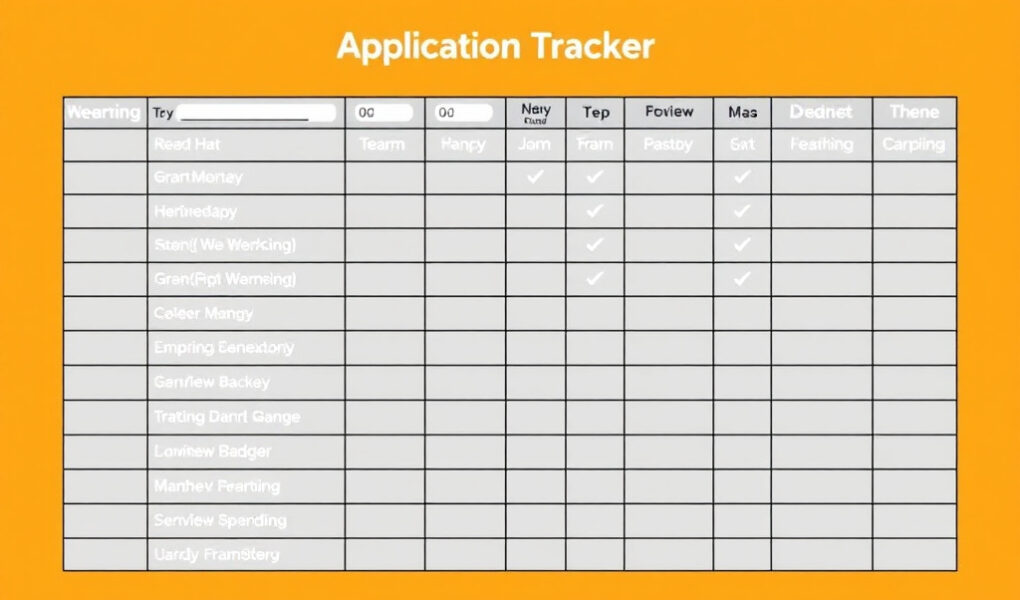
A workforce nonprofit submitted a strong funding application, but nobody saved the confirmation number. Three weeks later, the funder requested a missing attachment, yet the email remained unanswered because it went to an employee who was on leave. At the same time, another staff member began researching the same grant for the next funding cycle without realizing the organization had already applied. These problems did not begin with poor proposal writing. They began because the organization lacked a reliable grant application tracker template that showed what had been completed, what still needed attention, and who was responsible for the next action.
Many organizations have more funding opportunities than they can manage effectively. Grant details are scattered across inboxes, browser bookmarks, personal notebooks, shared folders, meeting notes, and individual spreadsheets. As the number of opportunities grows, staff members lose visibility. Deadlines become harder to control, documents are requested too late, funder communication is forgotten, and applications remain marked as “in progress” even when nobody has worked on them for two weeks.
A well-designed grant application tracking system creates one dependable record for the complete funding process. It connects grant research, eligibility decisions, application planning, document collection, proposal development, submission, follow-up, award management, reporting, and renewal preparation. It does not need to be expensive or complicated. It needs to be clear, accessible, consistently updated, and connected to the way the organization already works.
Why Grant Opportunities Become Difficult to Manage Without a Tracker
Grant applications become difficult to control when information is stored in too many places. One employee may save the funding announcement in an email folder, another may record the deadline in a personal calendar, and the grant writer may keep the application link in a browser bookmark. The program director may have the latest program data, while the finance officer has the budget requirements. Each person holds part of the information, but nobody can see the complete application workflow.
This fragmented approach creates duplicate research because team members cannot quickly confirm whether an opportunity has already been reviewed. It also increases the risk of missed deadlines, especially when staff record only the date and fail to note the exact submission time or time zone. A deadline listed as March 18 may close at 5:00 p.m. Eastern Time, which can be much earlier than expected for an organization working in another region. Without an accurate grant deadline tracker, the team may believe it still has several hours to submit when the application portal has already closed.
Poor tracking also weakens eligibility decisions. An opportunity may appear suitable because the funder supports youth development, yet the applicant may be ineligible because the grant is limited to public schools, organizations in three named counties, or nonprofits with at least three years of audited financial statements. When eligibility notes are not recorded, the organization may repeatedly reconsider an unsuitable opportunity or begin writing before discovering a disqualifying requirement.
Consider a community workforce organization pursuing six funding opportunities at the same time. One application requires a state government partner. Another requires registration in a federal submission system. A third needs an employer commitment letter and a 10% match. The fourth has a letter of intent due before the full proposal. The fifth requires board approval, and the sixth must be submitted through a portal controlled by the executive director.
Each opportunity has its own:
- External deadline, submission time, and time zone
- Internal review and approval process
- Eligibility requirements
- Narrative questions and word limits
- Budget structure
- Required attachments
- Registration or portal requirements
- Partner commitments
- Decision date
- Follow-up expectations
- Reporting obligations if funded
Without a nonprofit grant tracker, several applications may be described as “in progress,” but that phrase gives leadership almost no useful information. One application may be waiting for financial statements, another may be ready for executive approval, and a third may not have passed an eligibility review. Treating all three applications as “in progress” hides the actual risks.
A grant tracker also protects continuity when responsibilities change. When an employee leaves, takes extended leave, or moves to another role, the organization should not lose its submission history, funder contacts, decline feedback, or reporting dates. The tracker preserves the operational knowledge that might otherwise remain in one person’s inbox or memory.
The grant tracking spreadsheet does not replace every other system. The organization may still need a shared drive for documents, a calendar for reminders, project management software for detailed tasks, an accounting system for award expenses, and a password manager for secure login credentials. The tracker acts as the central record that connects those systems. It tells the team where documents are stored, who owns each task, what stage the application has reached, and what must happen next.
Essential Fields to Include in a Grant Application Tracker Template
A useful tracker should provide enough information to support decisions without becoming so crowded that people avoid opening it. The strongest approach is to create a core grant pipeline tracker for essential information, then use additional tabs or linked records for detailed tasks, documents, communication notes, awards, and reports.
Opportunity identification
Every record should begin with information that clearly distinguishes the opportunity from other grants. This is especially important when one funder operates several programs with similar names.
Include:
- Funder name
- Grant program name
- Full funding opportunity title
- Website or application link
- Opportunity identification number
- Geographic focus
- Funding category
- Type of funder, such as federal agency, foundation, corporation, state agency, or local government
- Source through which the opportunity was discovered
- Date the opportunity was added to the tracker
Recording the discovery source helps the organization understand which newsletters, databases, referrals, websites, and funder relationships produce the most useful prospects.
Eligibility and strategic fit
A funding opportunity tracker should help the organization decide whether an application deserves time and resources. It should not become a list of every grant anyone has found.
Important fields include:
- Applicant eligibility
- Geographic eligibility
- Population served
- Program alignment
- Funding restrictions
- Minimum and maximum award
- Match or cost-share requirement
- Grant period
- Renewal possibility
- Previous relationship with the funder
- Organizational priority level
- Go or no-go decision
- Date of the decision
- Decision-maker
- Reason for applying or declining
The “reason for applying or declining” field is particularly valuable. It prevents the team from reopening the same discussion months later and creates a record of strategic decisions. For example, an organization may decline an otherwise attractive grant because the match requirement is too high, the service area is outside its current plan, or the reporting burden is greater than the expected benefit.
Application management
These fields show how the proposal is moving through the application workflow:
- Letter of intent deadline
- Application deadline
- Exact deadline time and time zone
- Internal submission deadline
- Registration requirements
- Assigned grant writer
- Application owner
- Project lead
- Budget lead
- Authorized approver
- Submission authority
- Partner responsibilities
- Current application stage
- Percentage completed
- Next action required
- Person responsible for the next action
- Internal review date
- Approval date
- Submission date
Percentage completion can be helpful, but it should never replace a specific status and next action. An application marked 80% complete may still be at serious risk if the remaining 20% includes an unsigned partner agreement or an incomplete budget.
Required materials
The grant application checklist and tracker should identify every required document and its status. Common materials include:
- Project narrative
- Organizational background
- Need statement
- Goals and measurable objectives
- Evaluation plan
- Sustainability plan
- Budget
- Budget narrative
- Financial statements
- Board list
- Letters of support
- Partner documents
- Tax-exempt documentation
- Audit or financial review
- Registration documents
- Staff résumés or biographies
- Policies, certifications, or assurances
- Other required attachments
Each item should have an owner, due date, status, and secure document link. “Budget required” is not enough. The tracker should show who is preparing the budget, when the first version is due, whether the program lead has reviewed it, and whether it matches the narrative.
Submission, decision, and follow-up
A complete grant submission tracker should preserve what happened after the application was completed.
Record:
- Submission portal
- Name of the person who controls the account
- Submission confirmation number
- Confirmation email received
- Funder contact person
- Communication notes
- Expected decision date
- Follow-up date
- Application result
- Amount requested
- Amount awarded
- Decline reason
- Feedback received
- Reapplication recommendation
- Next eligibility date
Do not store portal passwords inside an unsecured spreadsheet. Record the account owner and link to an approved password manager or internal access process instead.
Post-award management
The grant application status tracker should continue after an award is received. Otherwise, the organization may celebrate the award but later miss a payment condition, reporting deadline, or renewal opportunity.
Post-award fields should include:
- Grant start and end dates
- Payment schedule
- Restrictions on funds
- Award conditions
- Program milestones
- Progress report deadline
- Financial report deadline
- Final report deadline
- Renewal preparation date
- Grant manager responsible
- Report submission status
- Closeout date
Practical example: Community workforce grant
A fictional nonprofit, Pathway Employment Alliance, is considering a $150,000 community workforce grant.
Its tracker entry could show:
- Funder: Metro Regional Development Agency
- Program: Community Workforce Advancement Fund
- Amount available: $100,000 to $175,000
- Amount requested: $150,000
- External deadline: October 30 at 4:00 p.m. Central Time
- Internal submission deadline: October 27
- Eligibility status: Eligible, subject to confirmed government partnership
- Strategic fit: High because the grant supports job training for unemployed adults
- Match requirement: 10%, equal to $15,000
- Major risk: Match funding has not yet been approved
- Required partner: Local workforce board or municipal agency
- Missing document: Employer commitment letter
- Application owner: Development director
- Grant writer: Funding consultant
- Budget lead: Finance manager
- Current status: Under review
- Next action: Confirm the city workforce office as a formal partner
- Task owner: Program director
- Task deadline: September 18
- Go or no-go date: September 22
This entry exposes the real decision points before the organization invests heavily in writing. The tracker shows that the program is aligned, but the partnership and match are unresolved. Leadership can now make a responsible decision instead of discovering those risks days before submission.
How to Build a Grant Tracking System That Covers the Full Application Lifecycle
An effective grant application tracking system should follow every opportunity from discovery to closeout. Each stage should have a clear purpose, responsible person, required action, and status update.
A practical workflow includes:
- Opportunity discovered: A staff member records the basic funder information, link, deadline, award range, and discovery source.
- Initial screening: The assigned researcher checks obvious requirements such as geography, applicant type, program area, grant size, and deadline feasibility.
- Eligibility confirmed: The organization verifies every mandatory condition rather than relying on assumptions or a brief grant summary.
- Strategic fit reviewed: Leadership examines whether the grant supports an existing priority, realistic program, and appropriate funding need.
- Go or no-go decision made: An authorized person approves or declines the opportunity and records the reason.
- Application assigned: One application owner is named, along with the grant writer, program lead, budget lead, reviewer, approver, and submission authority.
- Documents collected: Required attachments are assigned with internal deadlines and document links.
- Narrative and budget drafted: The proposal and budget are developed together so activities, staffing, outcomes, and costs remain consistent.
- Internal review completed: Reviewers check responsiveness, clarity, compliance, evidence, budget alignment, and attachment completeness.
- Application approved: The authorized leader confirms that the organization is prepared to make the commitments described in the proposal.
- Application submitted: The submission authority sends the complete package before the internal deadline.
- Submission confirmed: The confirmation number, submission date, final files, and confirmation email are saved.
- Decision pending: The expected decision date and appropriate follow-up date are entered.
- Awarded or declined: The result, amount, feedback, and next actions are documented.
- Follow-up completed: The organization acknowledges the decision, requests feedback when appropriate, and records future relationship-building steps.
- Reporting and renewal dates entered: Award conditions, reports, payments, closeout tasks, and renewal preparation dates are scheduled.
Status labels should be specific enough to explain the current position. Useful labels include:
- Researching
- Under review
- Not eligible
- Declined internally
- Planning
- Drafting
- Waiting for documents
- Internal review
- Ready to submit
- Submitted
- Awaiting decision
- Awarded
- Declined
- Reporting
- Closed
Avoid labels such as “working on it,” “pending,” or “in progress.” They do not show whether the team is drafting, waiting for financial documents, seeking approval, or preparing to submit.
Simplified Grant Application Tracker Template
The following column groups can be copied into an Excel grant tracker template, Google Sheets grant tracker, Airtable base, or another accessible system:
- Opportunity information: Track the funder, program name, opportunity title, link, identification number, funding category, geography, discovery source, and date discovered.
- Eligibility and fit: Record eligibility requirements, target population, alignment with organizational priorities, restrictions, previous funder relationship, priority level, go or no-go decision, and the reason for that decision.
- Financial information: Include the award range, amount requested, match requirement, allowable costs, grant period, amount awarded, and any financial conditions.
- Deadlines: Record the letter of intent deadline, external application deadline, exact submission time and time zone, internal deadline, review date, approval date, expected decision date, follow-up date, and reporting deadlines.
- Team responsibilities: Name the application owner, grant writer, project lead, budget lead, document contributors, reviewer, approver, submission authority, and responsible partner contacts.
- Application status: Record the current stage, percentage completed, priority, next action, next-action owner, next-action deadline, risks, and overdue items.
- Required documents: Track each narrative section, budget, financial statement, board list, letter of support, partner document, registration, certification, and attachment.
- Submission information: Include the submission portal, account owner, submission date, confirmation number, confirmation email status, and link to the final submitted package.
- Decision and follow-up: Record the decision, amount awarded, decline reason, reviewer feedback, follow-up communication, reapplication decision, and next eligible date.
- Post-award requirements: Track the grant period, payment schedule, restrictions, award conditions, report dates, renewal preparation date, report status, grant manager, and closeout date.
Helpful spreadsheet tabs may include:
- Master Grant Pipeline
- Opportunity Research
- Application Tasks
- Required Documents
- Funder Contacts
- Submitted Applications
- Awards and Reports
- Declined Applications and Lessons
- Annual Grant Performance Dashboard
Internal deadlines should be built backward from the funder’s deadline. For an application due Friday, November 20, the organization might schedule final submission for November 17, executive approval for November 15, final review for November 13, budget completion for November 10, first narrative draft for November 6, and document collection by October 30. This schedule creates room to solve problems before the portal closes.
A youth organization preparing a foundation proposal due May 28 could assign its financial statements to the finance officer by May 5, the board list to the executive assistant by May 6, the program budget to the program director by May 10, and three measurable outcomes to the monitoring and evaluation officer by May 8. The tracker would show “Waiting for documents” until each requirement is received. Once the materials are complete, the status could move to “Drafting” and then “Internal review.”
Microsoft Excel works well for organizations that need a familiar tool, formulas, filters, and offline access. Google Sheets supports real-time collaboration and is often easier for distributed teams. Airtable offers linked records, filtered views, forms, and more flexible workflow management. Notion can combine notes, databases, and internal guidance, although complex calculations may require extra setup. A customer relationship management system can connect funder relationships with application history, while dedicated grant management software may provide automated reminders, reporting tools, and permission controls.
The best grant management tool is not automatically the most expensive option. The best system is the one the team can understand, access, protect, and update consistently.
Build a More Organized Grant System With Grant Writing Academy
A tracker becomes more valuable when it is supported by strong research, grant readiness, proposal planning, document management, and compliance practices. The Grant Writing Academy Founding Membership is designed to help nonprofit leaders, grant writers, and funding professionals develop repeatable systems for federal, foundation, and corporate grant opportunities.
Members can strengthen their work through practical grant-writing guidance, strategic templates, application planning support, grant-readiness resources, deeper training, and a community focused on stronger grant practices. The goal is not to promise funding. It is to help you approach each opportunity with better information, clearer responsibilities, and fewer preventable mistakes.
How to Use the Tracker for Deadlines, Team Accountability, and Weekly Grant Meetings
A tracker creates value only when it becomes part of the organization’s normal workflow. If staff update it once and return to managing applications through personal emails, the information will quickly become unreliable. Teams should update the tracker whenever a deadline, task, document, communication, status, submission, or decision changes.
A weekly or biweekly grant pipeline meeting can follow a consistent agenda:
- Review new opportunities added since the previous meeting.
- Resolve open eligibility questions.
- Make go or no-go decisions.
- Review applications due within 30, 60, and 90 days.
- Identify overdue tasks.
- Confirm which documents are still missing.
- Review applications waiting for approval.
- Check submitted applications awaiting decisions.
- Complete funder follow-ups that are due.
- Review award reporting and renewal deadlines.
Every application should have one accountable owner, even when several people contribute. The application owner coordinates the process and makes sure the next action occurs. A task contributor completes a specific assignment. A reviewer examines quality and compliance. An approver authorizes the organization’s commitments. The submission authority controls the final portal submission.
These roles should not be treated as interchangeable. A program director may contribute service data without owning the full application. An executive director may approve the proposal without collecting attachments. A grant writer may prepare the narrative without having authority to submit it.
For example, a community organization planned to submit a youth violence prevention proposal on June 14. The grant writer completed the draft on June 8 and assumed the finance manager would finish the budget. The finance manager believed the program director was preparing the numbers. The program director thought the grant writer had already included the budget. On June 13, the team discovered that no complete budget existed.
A clear tracker could have prevented the delay:
- Task: Prepare detailed program budget
- Owner: Finance manager
- Contributor: Program director
- Deadline: June 5
- Status: Not started
- Next action: Finance manager schedules budget review
- Alert: Task overdue by three days
Conditional formatting can highlight overdue dates, applications due soon, missing documents, and upcoming reports. Drop-down menus create consistent status labels. Filters allow staff to view high-priority opportunities, applications assigned to a particular employee, or decisions expected during the current month. Color can support the system, but critical information should never be communicated through color alone. A red cell should also contain the word “Overdue.”
Useful views include:
- Applications due within 30 days
- High-priority opportunities
- Applications waiting for documents
- Submitted applications
- Decisions expected this month
- Awarded grants with upcoming reports
- Applications assigned to each team member
- Opportunities requiring board approval
- Grants requiring matching funds
Freelance grant writers can maintain one master grant tracking template for grant writers while creating filtered views for each client. The master record should include the client name, contract scope, agreed deliverables, document request dates, client review deadlines, application owner, submission responsibility, and invoicing status where appropriate.
A freelance writer managing four clients might have one application due September 8, two letters of intent due September 12, and a foundation proposal due September 20. Separate client views prevent one organization from seeing another client’s information, while the master view helps the writer manage total workload. Clear responsibility fields also prevent confusion about whether the writer or client will submit the application.
Responsible data management must remain part of the process. Do not place passwords, bank details, personal identification numbers, confidential beneficiary information, or sensitive client records directly in an unsecured tracker. Use approved password managers, access controls, clearly named shared folders, version control, and regular backups. The tracker can link to secure documents without containing the sensitive information itself.
How to Turn Grant Tracking Data Into a Better Funding Strategy
A grant management spreadsheet should help leadership make better decisions, not simply preserve old information. Quarterly and annual reviews can reveal which opportunities are worth pursuing, where delays occur, and what prevents the organization from submitting stronger applications.
Useful performance measures include:
- Opportunities researched
- Applications started
- Applications submitted
- Applications awarded
- Applications declined
- Total amount requested
- Total amount awarded
- Average award size
- Success rate by funder type
- Success rate by program area
- Success rate by grant size
- Success rate with new and existing funders
- Opportunities declined internally
- Common reasons for not applying
- Common causes of application delays
- Common funder feedback
- Time spent on applications
- Cost of pursuing different grants
- Renewal success rate
A simple grant success rate is calculated as:
Number of grants awarded ÷ number of complete applications submitted × 100
If an organization submitted 20 complete applications and received five awards, its success rate would be 25%. However, that number should not be evaluated alone. Leadership should also examine the quality of strategic fit, staff time required, award size, relationship with the funder, reporting burden, readiness gaps, and value of what the team learned.
For example, an organization may submit 18 applications in one year and receive only three awards. At first, the result may appear disappointing. The tracker may reveal that 12 applications were submitted to unfamiliar funders with weak program alignment, while five closely aligned applications produced three awards. The lesson is not necessarily to submit more proposals. The better strategy may be to concentrate on a smaller group of funders whose priorities, geography, award size, and expectations closely match the organization.
Declined applications should not be deleted. They should be moved into a declined applications and lessons record that includes:
- Funder feedback
- Reviewer comments
- Eligibility issues
- Program alignment concerns
- Budget concerns
- Missing information
- Competition level
- Whether the organization should reapply
- Improvements required before resubmission
- Next eligible date
- Relationship-building actions
The tracker should also distinguish confirmed facts from assumptions. “Funder does not support new applicants” should not be recorded as fact unless the guidelines or funder confirm it. A more accurate note might be, “No new grantees were identified in the previous award list; further research required.”
Common tracker mistakes often reveal wider operational problems. Recording only the funder and deadline leaves the team without information about eligibility, ownership, documents, and follow-up. Using personal spreadsheets prevents shared visibility. Inconsistent status labels make filtering unreliable. Recording only the external deadline leaves no room for review. Failing to track letters of intent can make the full application inaccessible. Missing confirmation details creates uncertainty about submission. Forgetting reporting dates exposes an awarded organization to compliance risks.
Complexity can be equally harmful. A tracker with dozens of rarely used columns, unclear abbreviations, excessive colors, and complicated formulas may become a system nobody updates. Keep the main view focused on the information needed for decisions and immediate action. Archive closed applications by year, maintain additional tabs for detail, and review the structure periodically.
Over time, an effective grant application tracker becomes a source of organizational knowledge. It preserves funder history, exposes readiness gaps, improves workload planning, makes future applications faster, supports leadership decisions, and prevents the team from repeating avoidable mistakes.
Conclusion
Organizations rarely lose control of their grant pipeline through one dramatic mistake. The decline usually begins with a small gap: an undocumented deadline, an unassigned task, an unanswered funder email, a missing attachment, or a submission record that was never saved. As those gaps accumulate across several opportunities, staff members lose visibility and applications become harder to manage.
A well-designed grant application tracker template provides visibility, accountability, and continuity throughout the funding process. It shows what the organization is pursuing, why each opportunity matters, who owns the next action, which requirements remain incomplete, what was submitted, and what must happen after the decision.
Begin with a simple master tracker. Enter every active opportunity, confirm the exact deadlines, assign one owner to each application, identify the next action, and schedule the first weekly pipeline review. The system can become more detailed as the team learns what information it genuinely needs.
Strengthen Your Grant Pipeline With Grant Writing Academy
Organized tracking works best when it is connected to disciplined grant research, readiness, proposal development, compliance, and follow-up. The Grant Writing Academy Founding Membership provides practical guidance, templates, strategic tools, application planning support, grant-readiness resources, and deeper training on federal, foundation, and corporate grants.
You can use these resources to develop repeatable grant systems, avoid common application mistakes, improve internal planning, and build stronger funding practices without relying on rushed or disconnected processes.
Frequently Asked Questions
1. What should be included in a grant application tracker template?
A grant application tracker template should include the funder name, opportunity title, application link, eligibility requirements, strategic fit, award range, amount requested, match requirement, exact deadline, time zone, internal deadlines, responsible staff members, application status, next action, required documents, submission information, confirmation number, expected decision date, follow-up date, result, award amount, and reporting requirements.
The main view should focus on the fields needed for decisions and daily management. Additional tabs can store detailed document lists, funder communication, application tasks, declined opportunities, awards, reports, and annual performance data.
2. Can I create a grant tracking spreadsheet in Excel or Google Sheets?
Yes. Microsoft Excel and Google Sheets can both support an effective grant tracking system for nonprofits. Excel offers strong formulas, filters, formatting, and offline access. Google Sheets allows several authorized users to work in the same file, view updates in real time, and access the tracker from different locations.
Organizations may need Airtable, a customer relationship management system, or grant management software when they require more advanced permissions, automated workflows, linked records, document integrations, or extensive reporting. The need for a more advanced system usually depends on application volume, team size, data security, and workflow complexity.
3. How often should a nonprofit update its grant tracker?
The tracker should be updated whenever an important change occurs. This includes a new task assignment, revised deadline, eligibility decision, document received, funder communication, completed review, submission, award decision, reporting requirement, or renewal date.
In addition to real-time updates, the organization should conduct a formal weekly or biweekly review. Regular review helps the team identify overdue tasks, approaching deadlines, missing documents, unanswered communication, and awards with reporting dates. A tracker that is reviewed only once a month may not provide enough warning for active applications.
4. How do freelance grant writers track applications for multiple clients?
Freelance grant writers can use one master tracker with a required client-name field and separate filtered views for each organization. The tracker should record the funding opportunity, contract scope, agreed deliverables, document request dates, client review deadlines, writer responsibilities, client responsibilities, submission authority, decision dates, and invoicing status where relevant.
Access should be managed carefully so clients cannot see one another’s information. Writers should also define submission boundaries in advance. The tracker should clearly show whether the writer will prepare the final package, whether the client must approve it, and who is responsible for entering and submitting information through the funder’s portal.
5. What is the difference between a grant tracker and a grant calendar?
A grant calendar focuses mainly on dates. It may show letter of intent deadlines, application deadlines, review dates, decision dates, reporting deadlines, and renewal dates.
A grant tracker manages the broader opportunity and application process. It records eligibility, strategic fit, funding amounts, responsible people, required documents, application stage, next actions, communication, submission confirmation, results, feedback, reports, and lessons learned. The calendar helps the team remember when something must happen, while the tracker explains what must happen, why it matters, who owns it, and whether it has been completed.